
-
In a web browser, enter the IP address or DNS name of your PowerScale NAS to access its management interface.
-
Enter your administrative credentials to log in.
-
In the Protocols menu, select Windows Sharing (SMB).
-
In the SMB tab, select the network share you want to configure for work with Tiger Bridge, then select "View/Еdit.
-
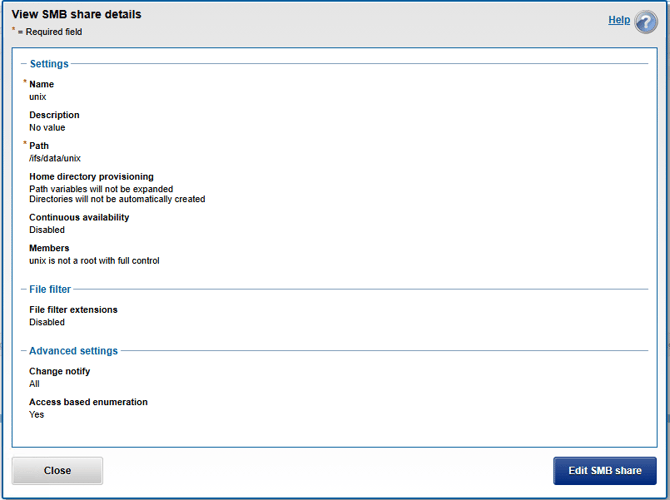
In "View SMB share details", select "Edit SMB share".
-
In "Edit SMB share details" under Advanced settings, select All in the "Change notify" drop-down box.
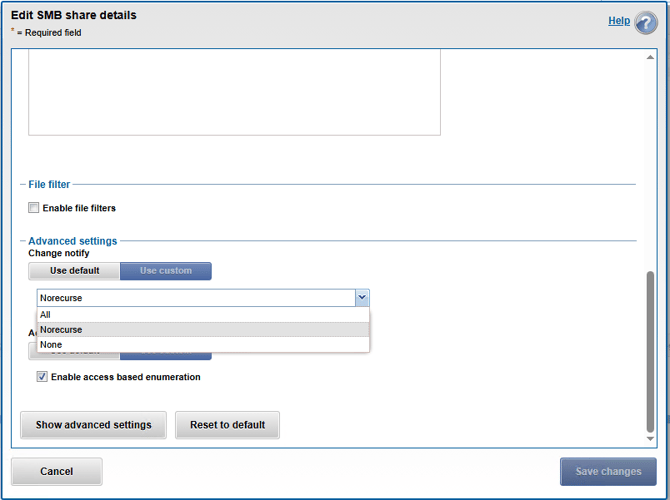
- Select "Save changes".